How to change your facial identity verification limit for transfers, bill payments and top ups*
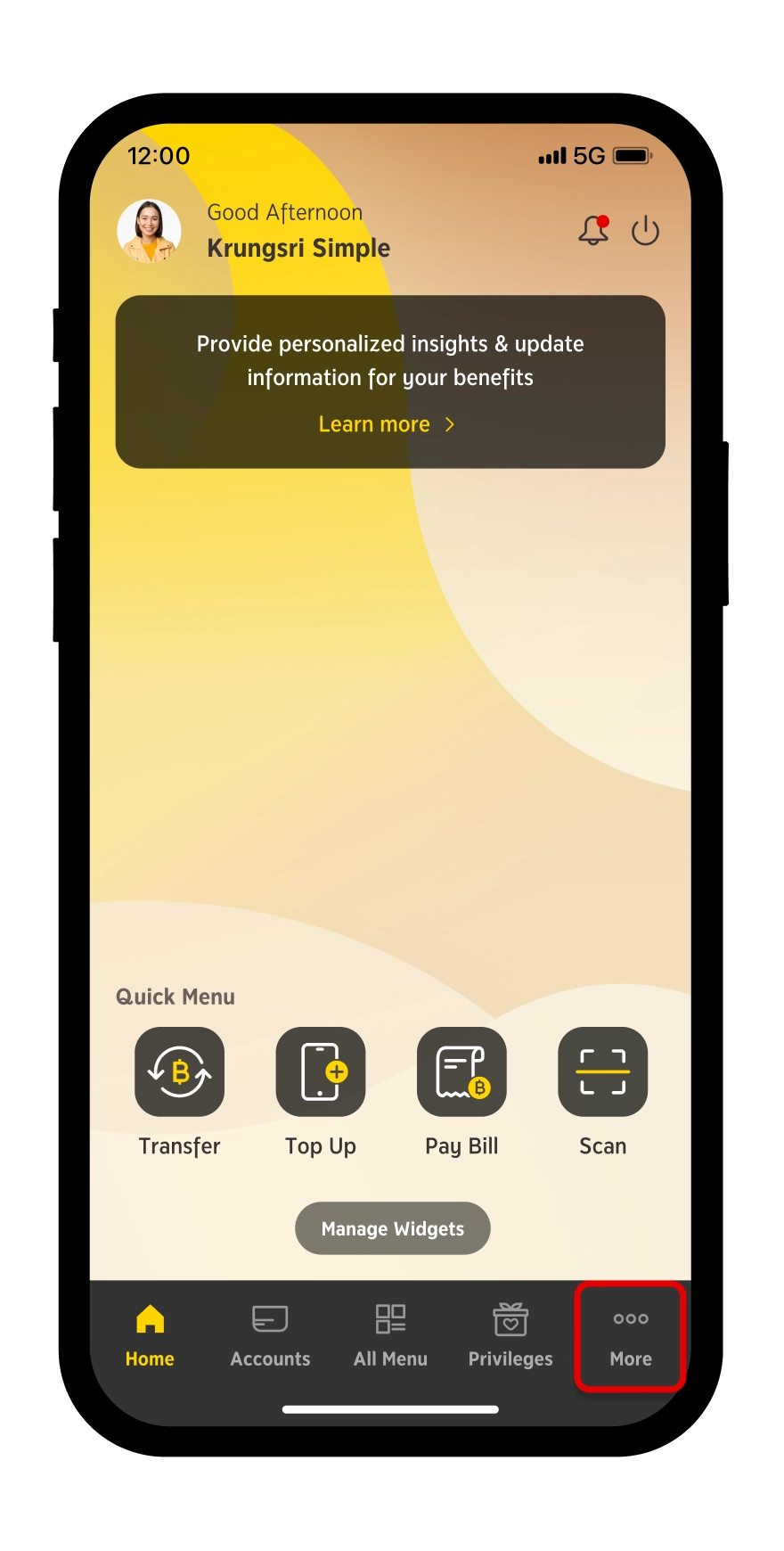
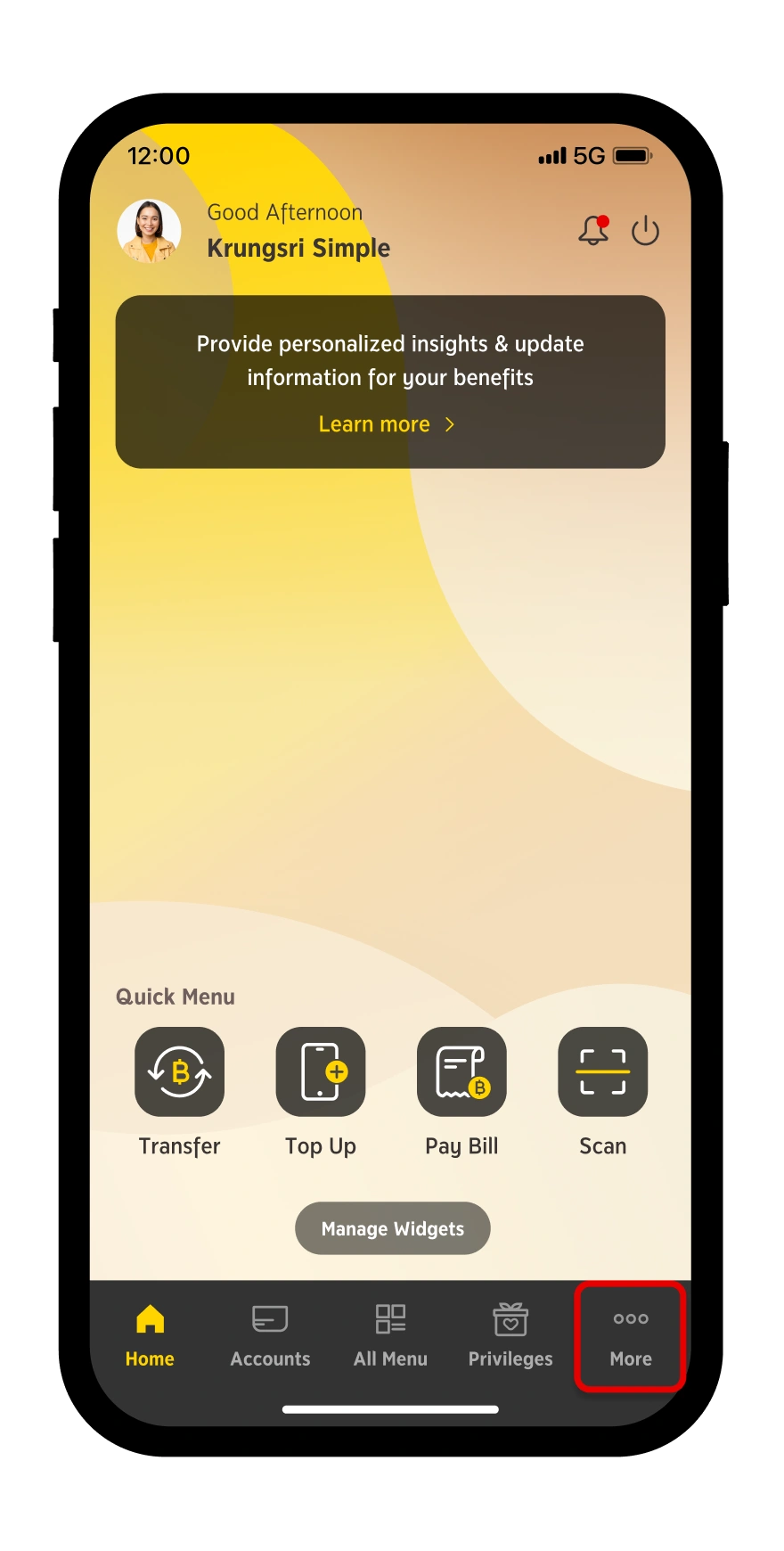
Step 1
Select "More"

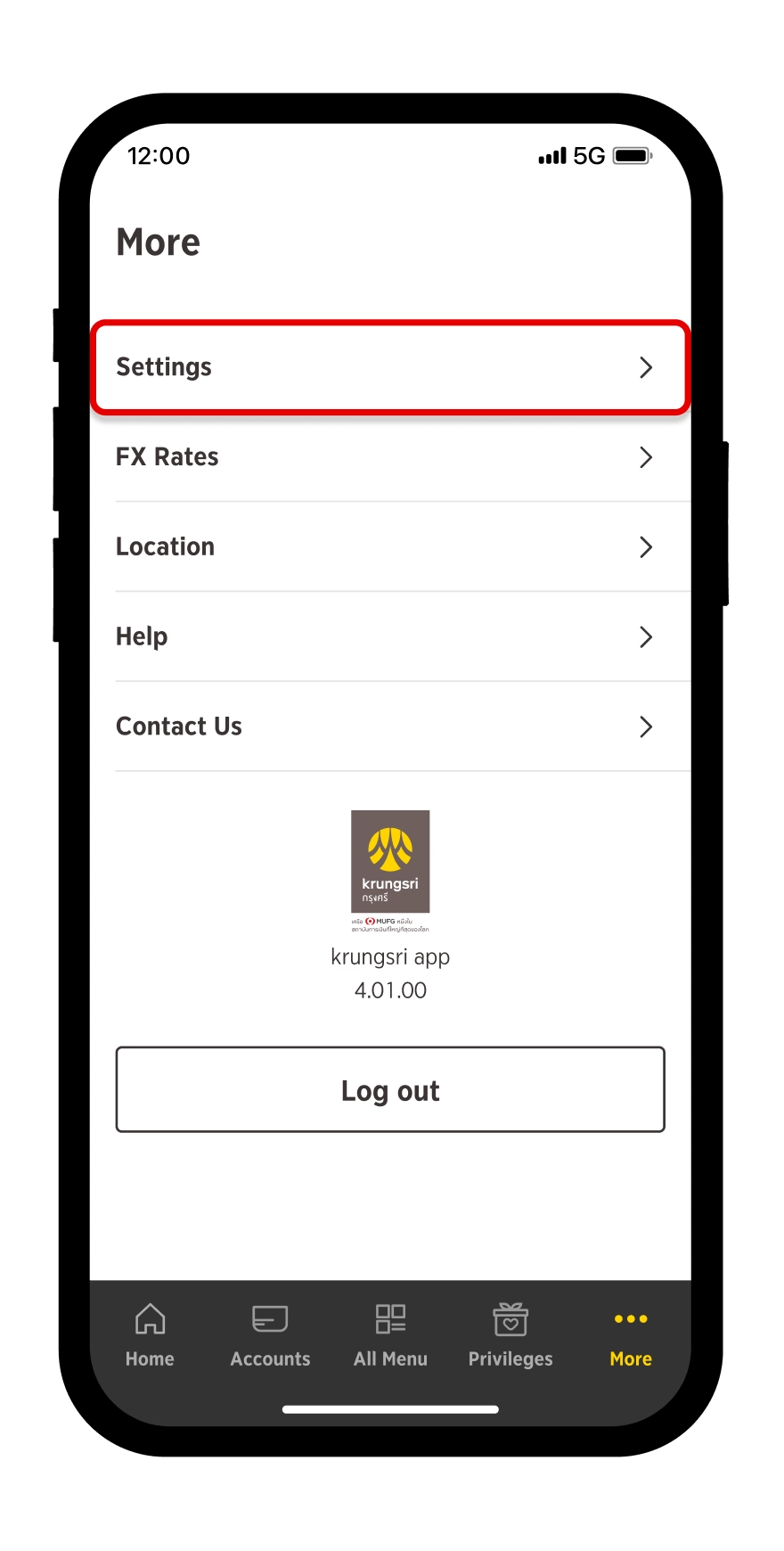
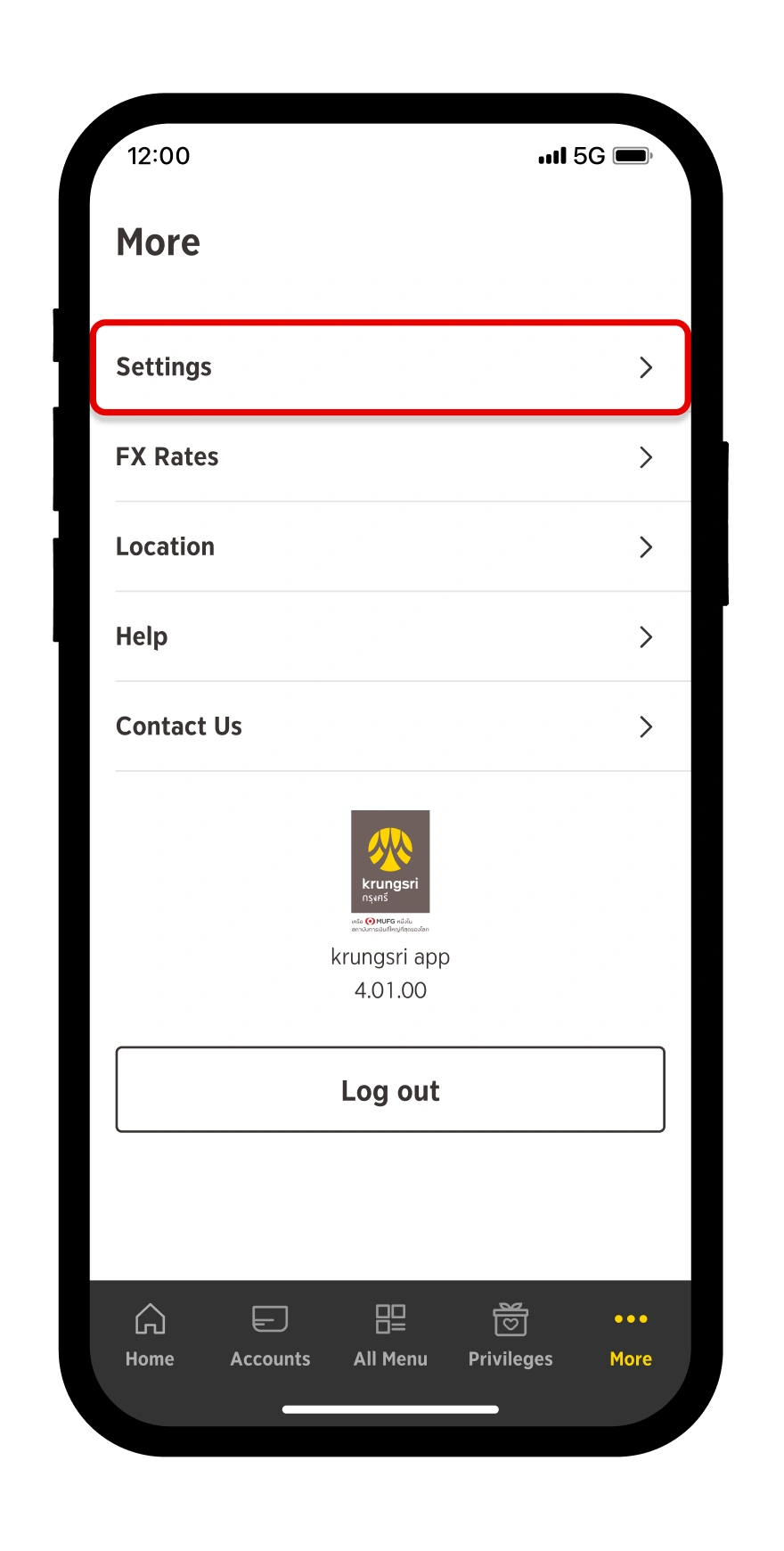
Step 2
Go to "Settings"
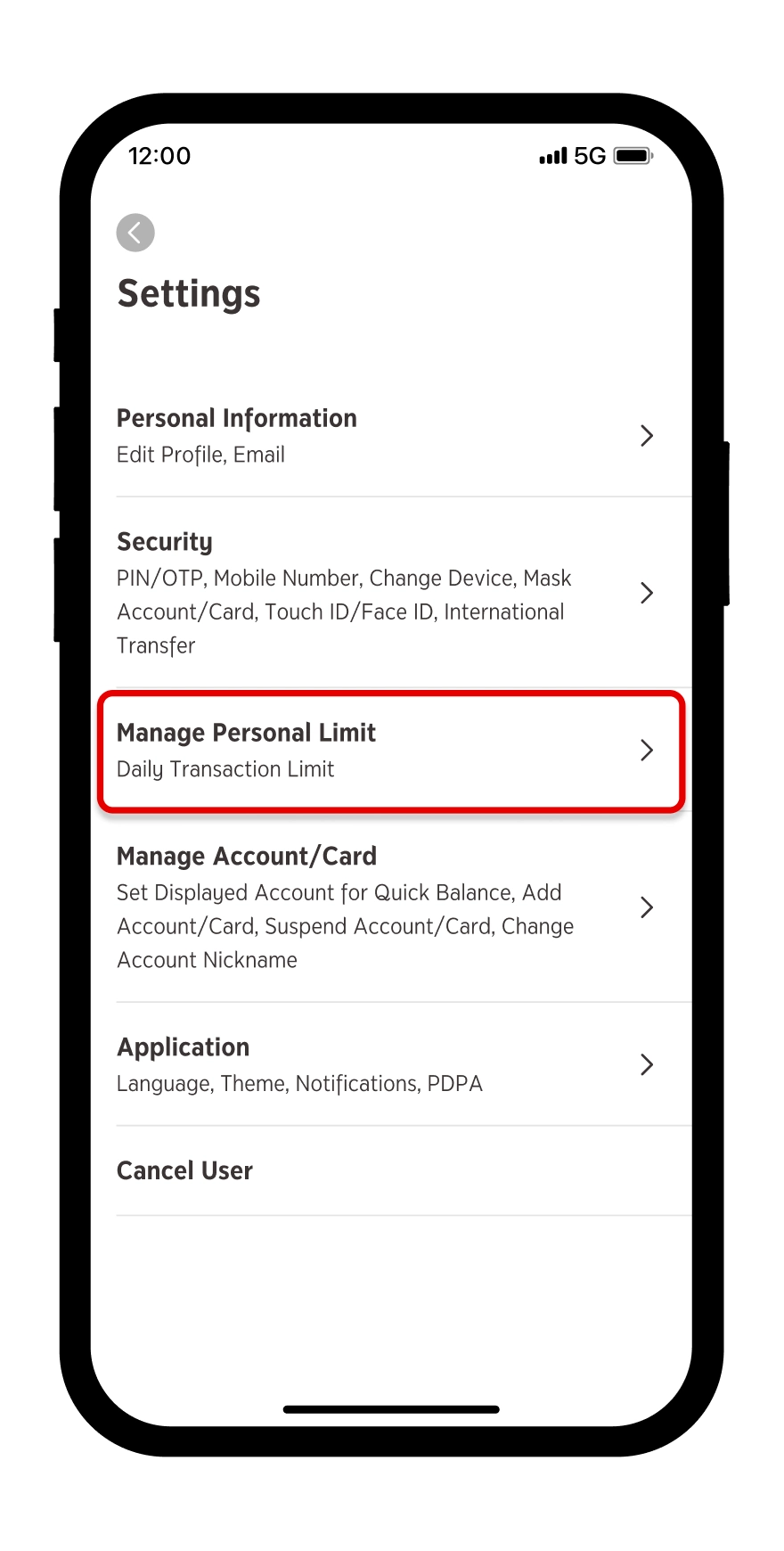
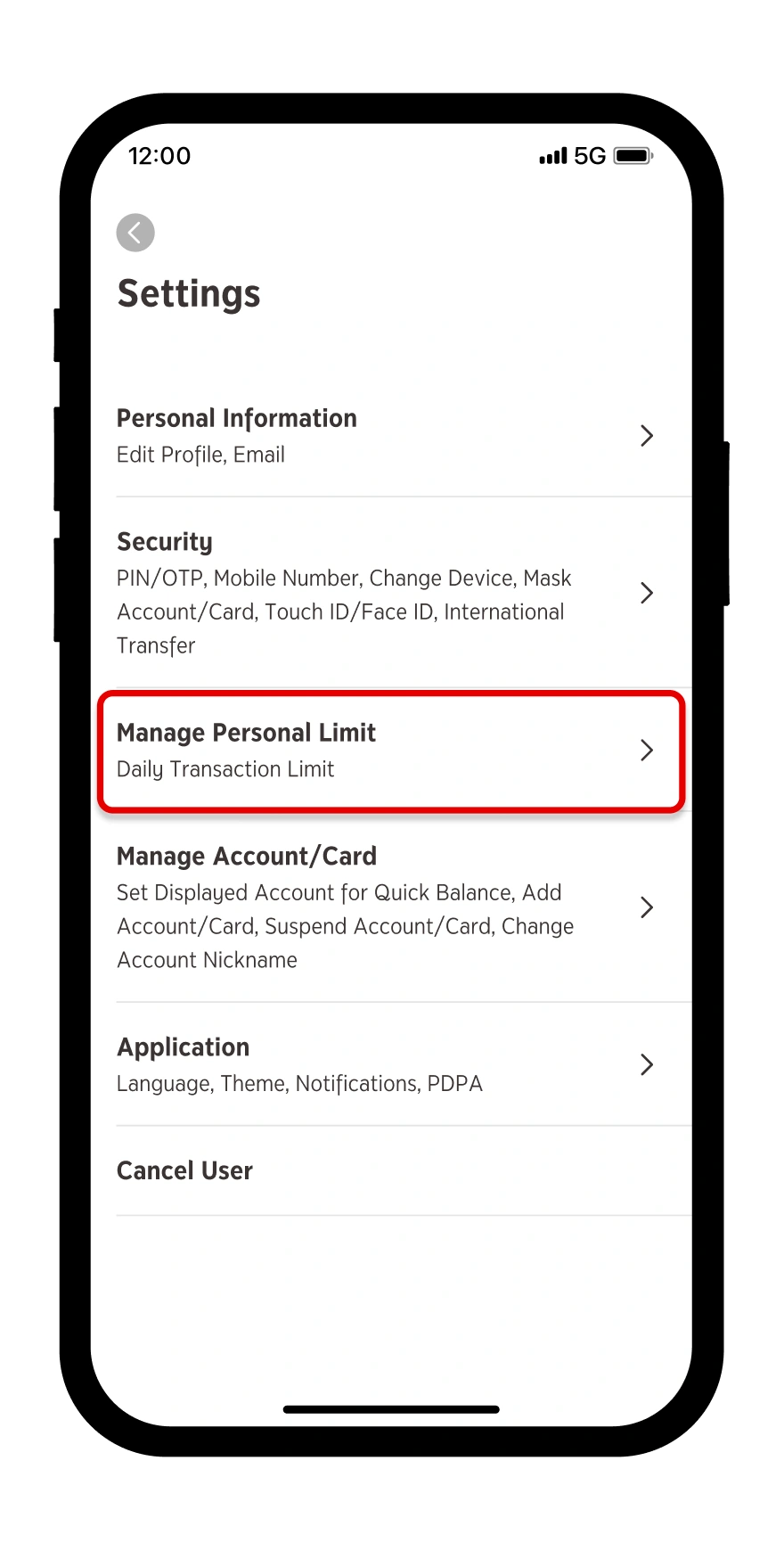
Step 3
Select "Manage Personal Limit"
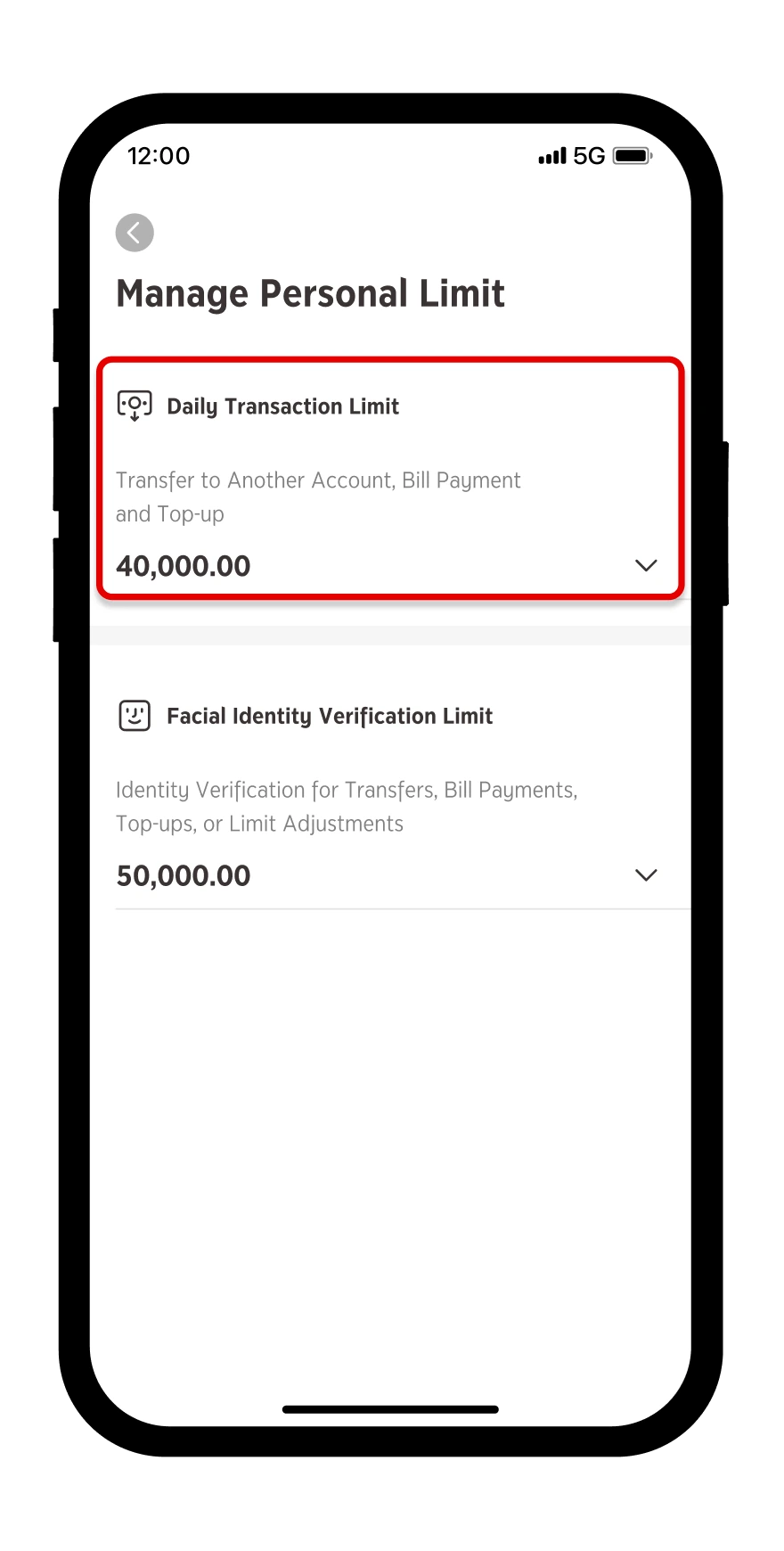
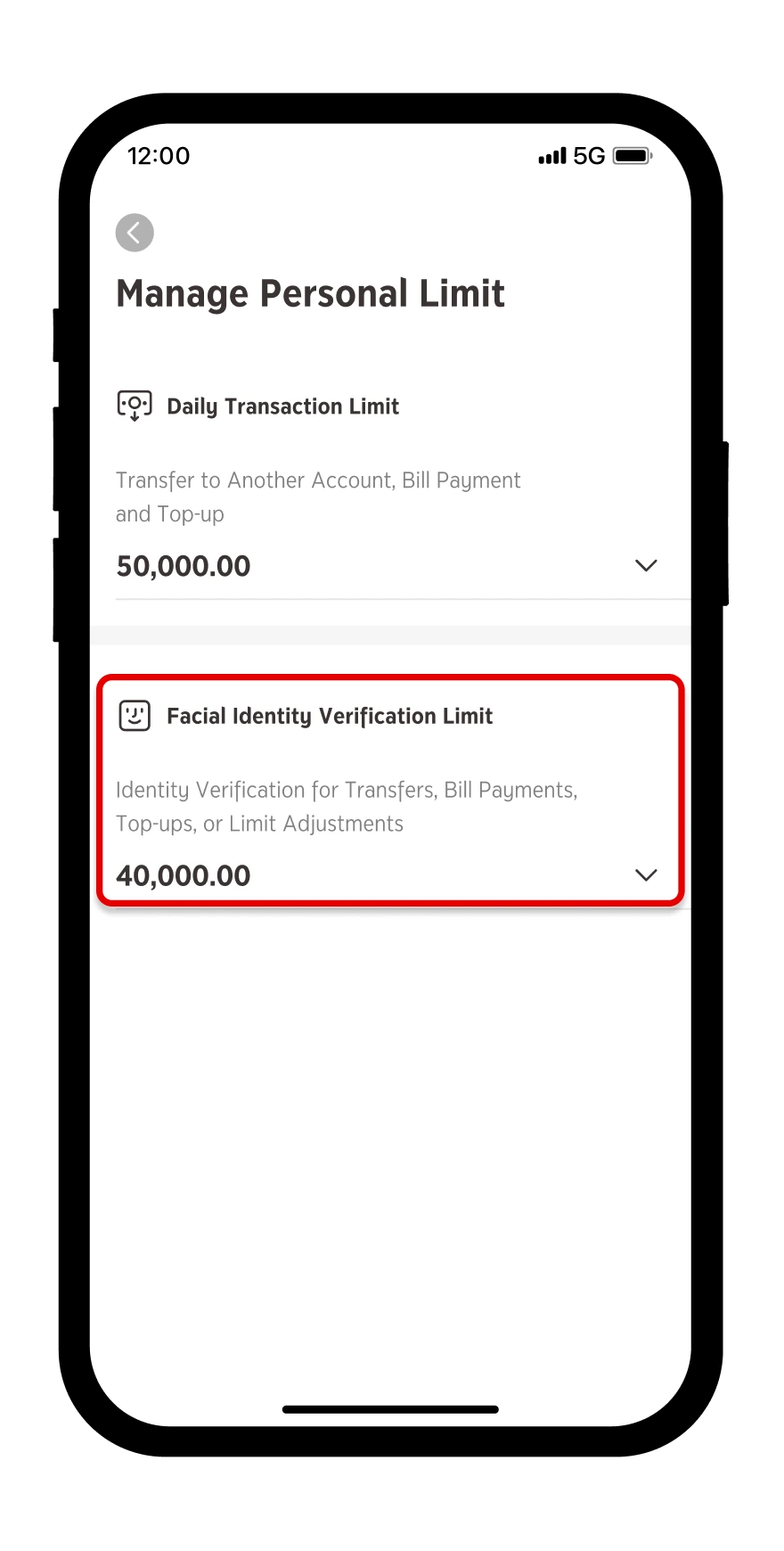
Step 4
Tap an arrow under “Facial Identity Verification Limit”
Step 5
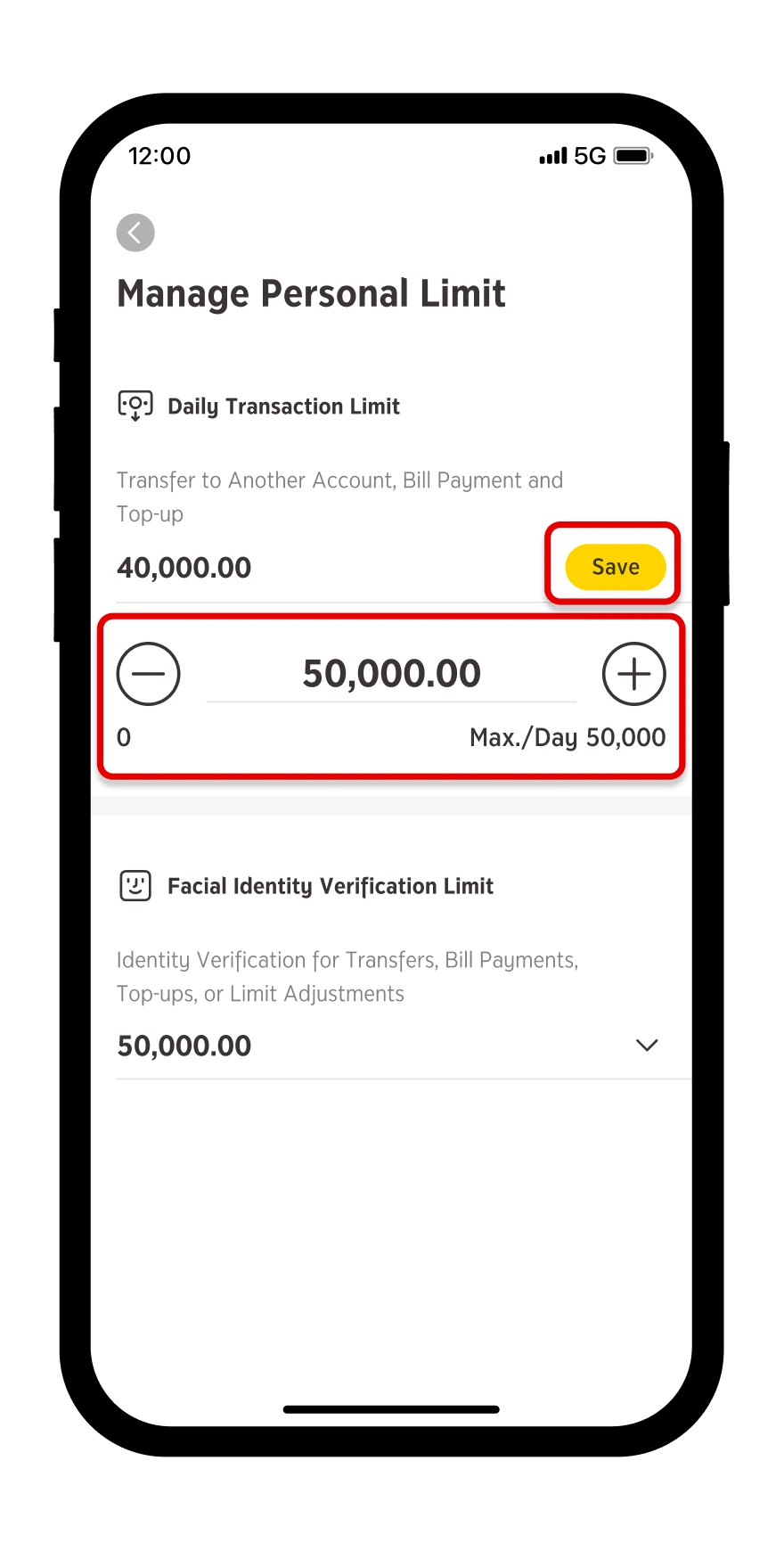
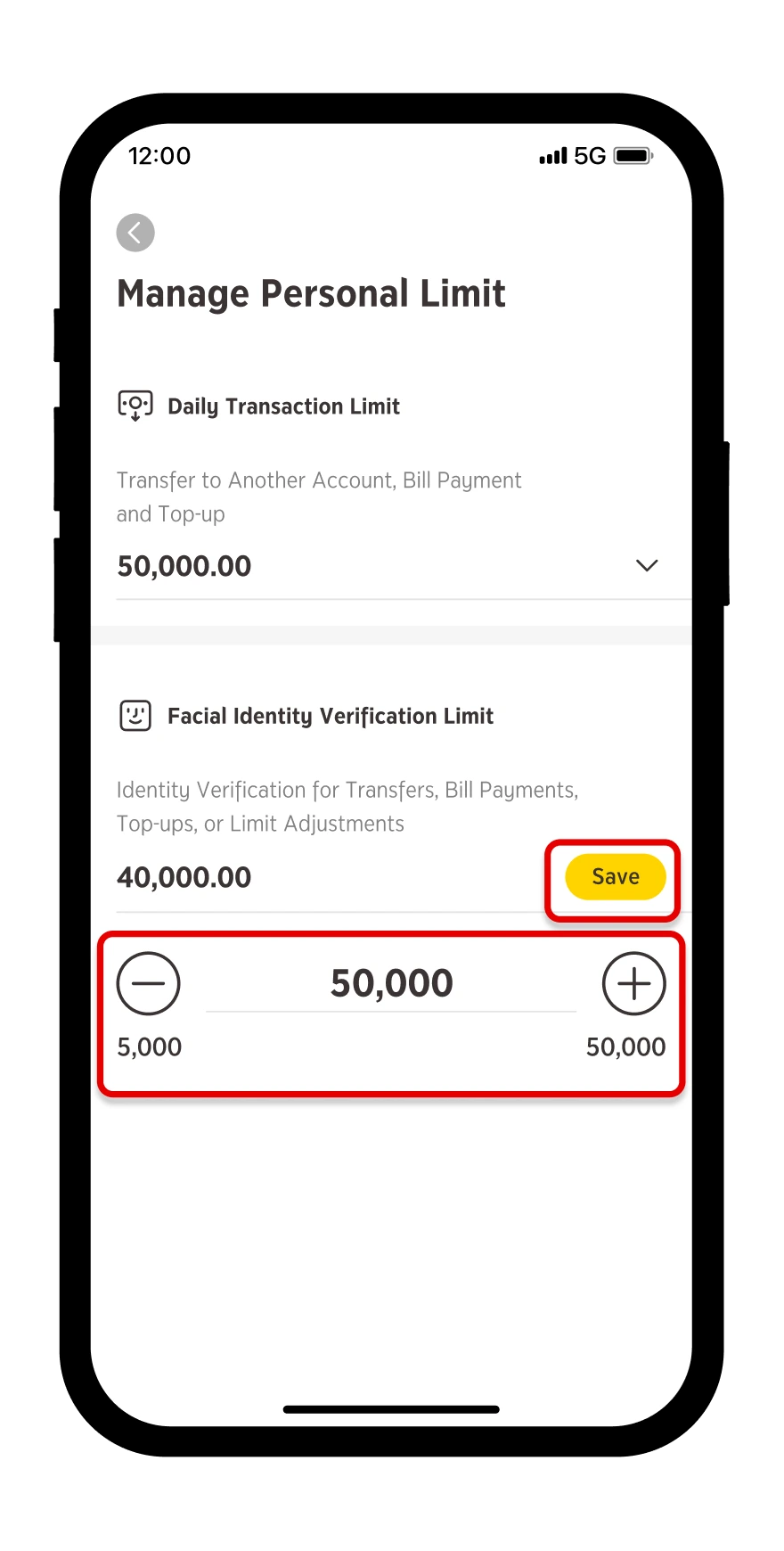
Specify your desired limit then press "Save"
Step 6
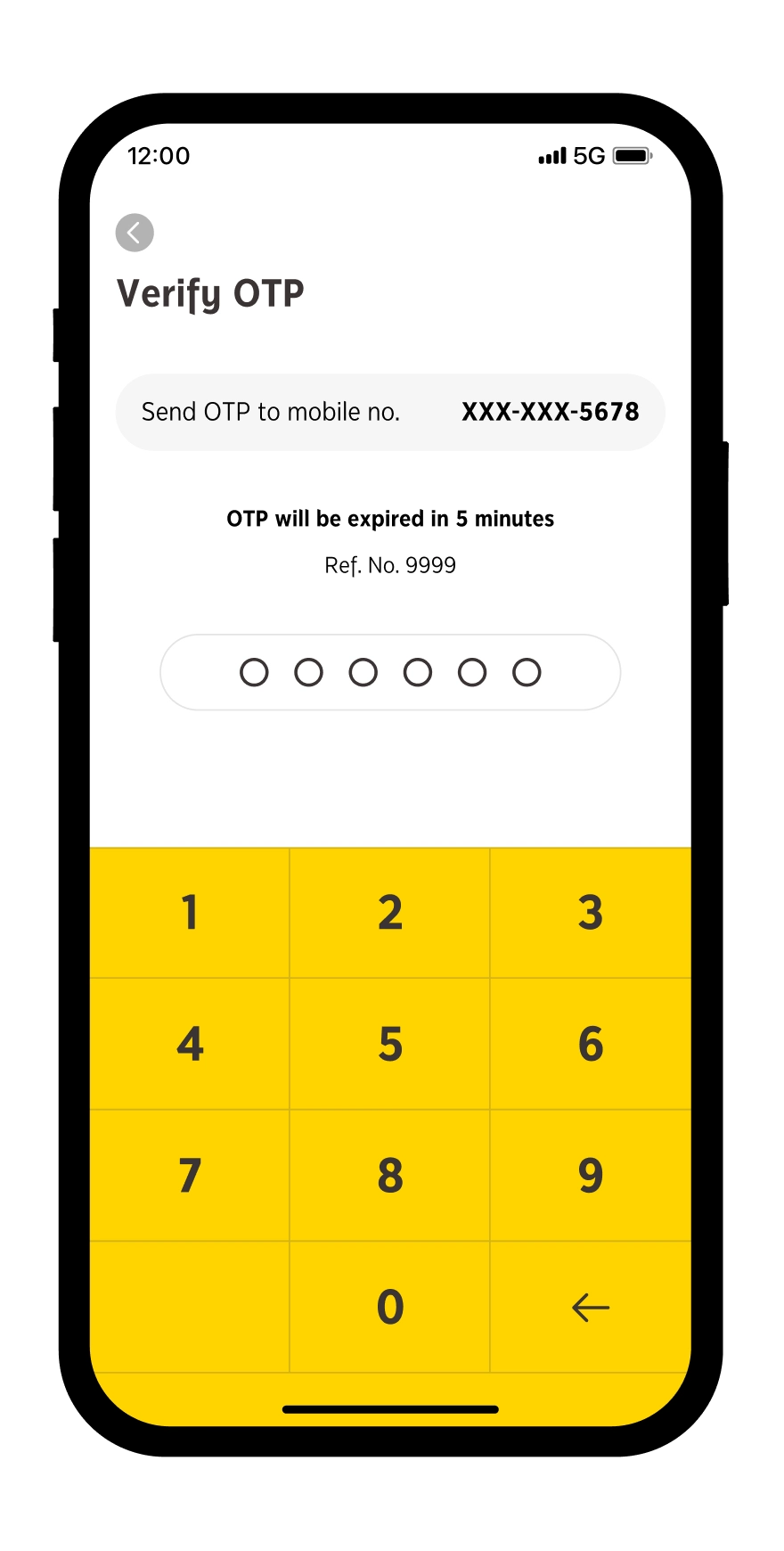
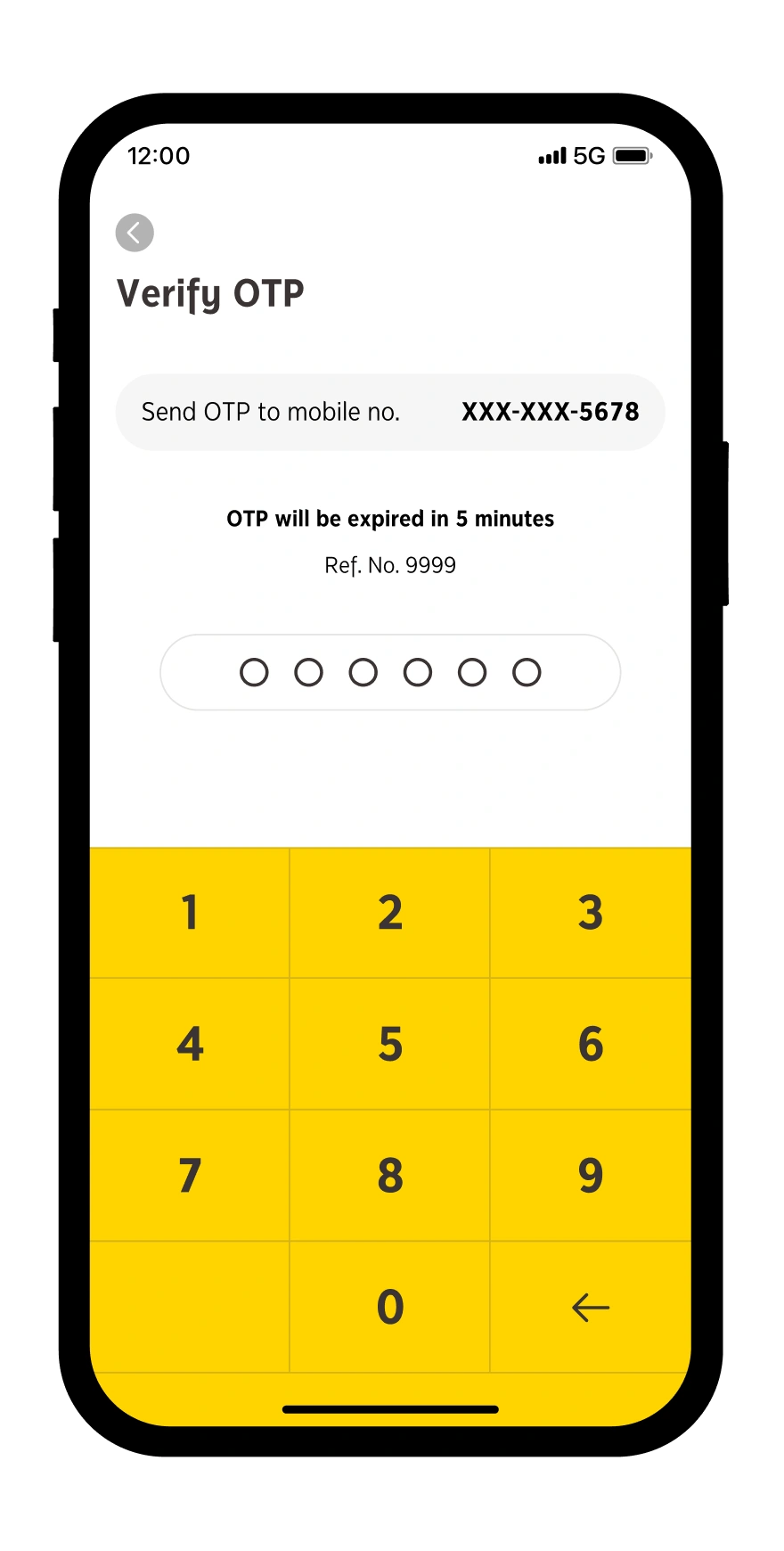
Verify by an OTP
Step 7
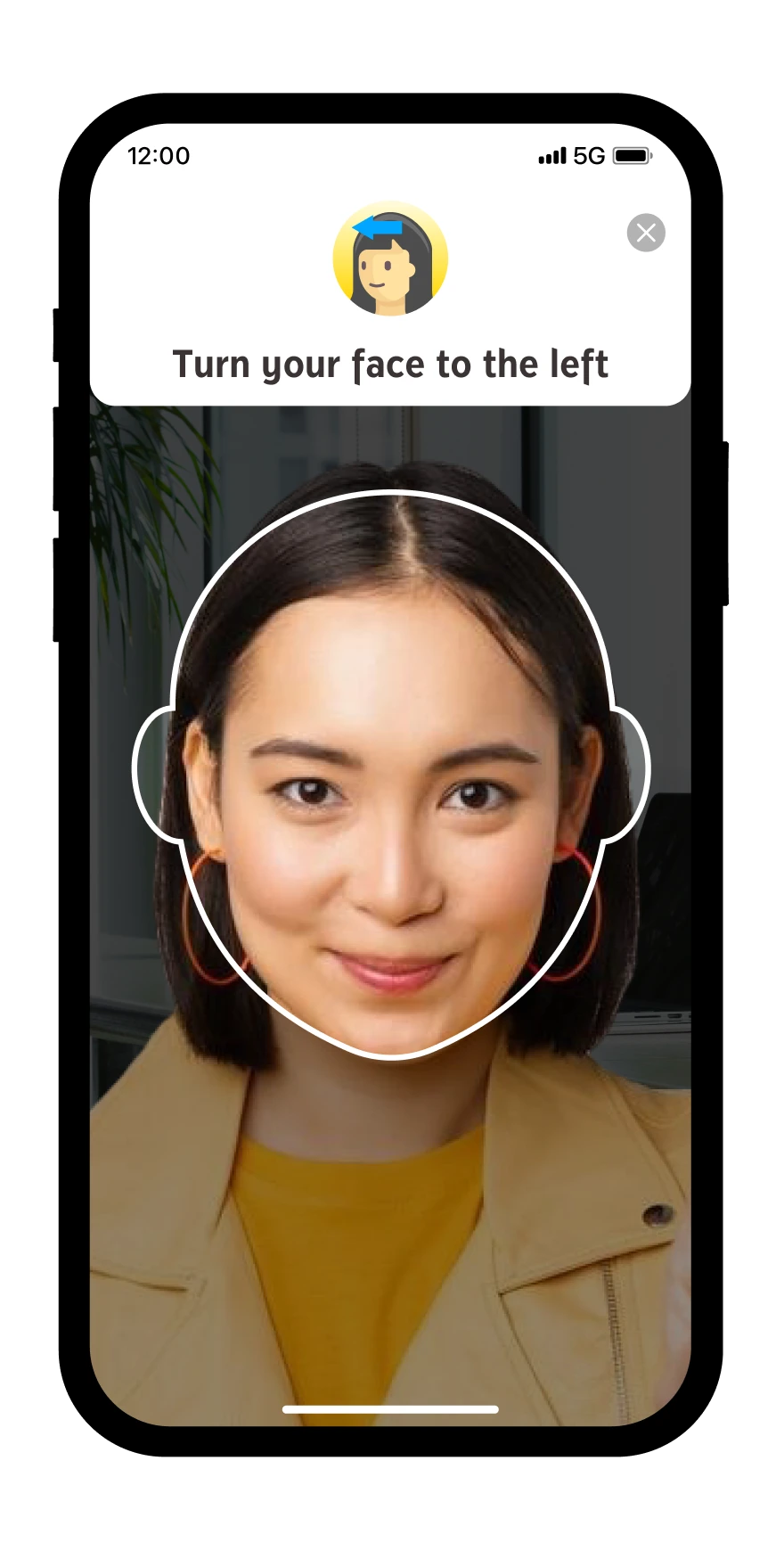
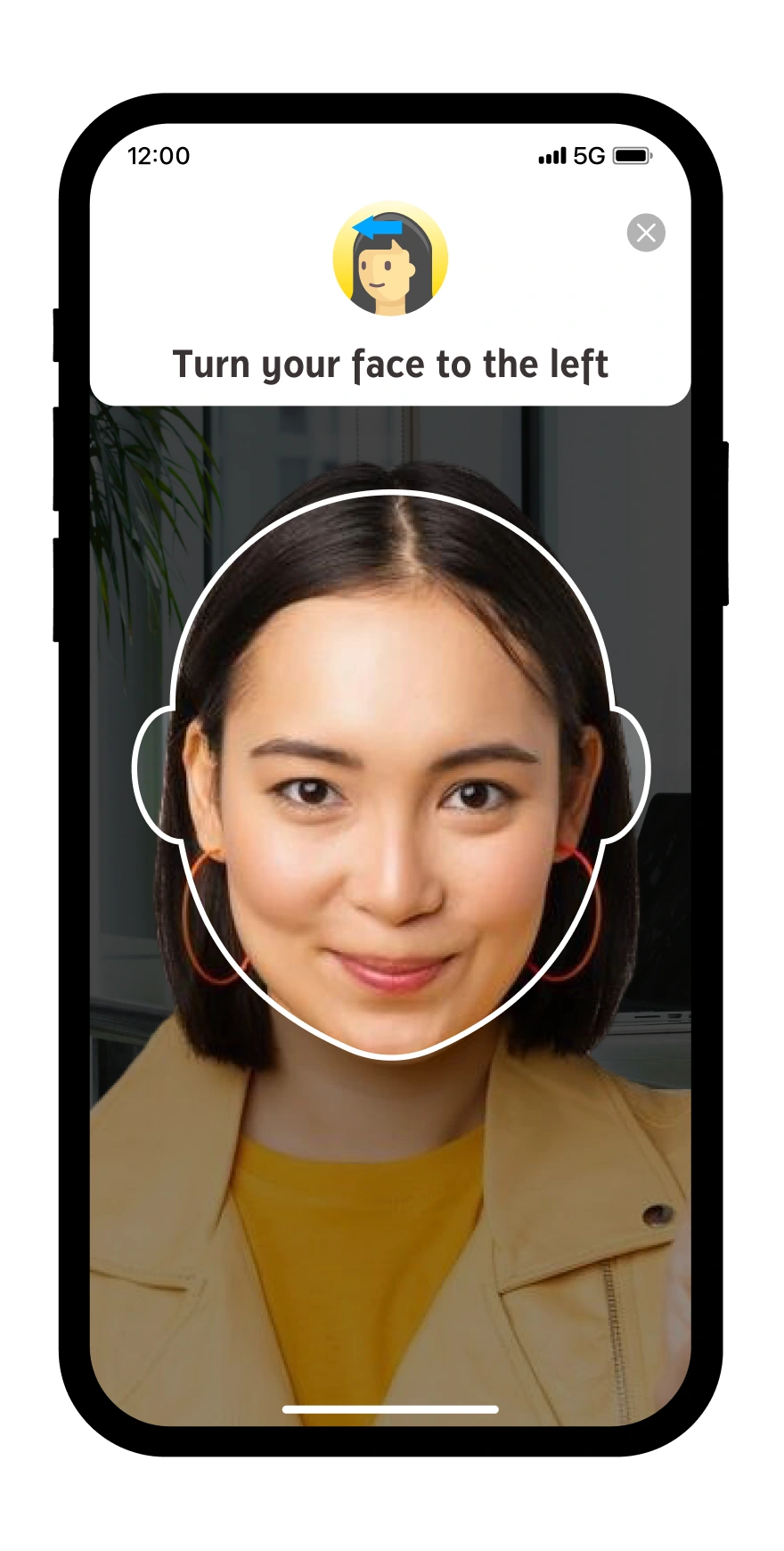
Verify by facial identity
Step 8
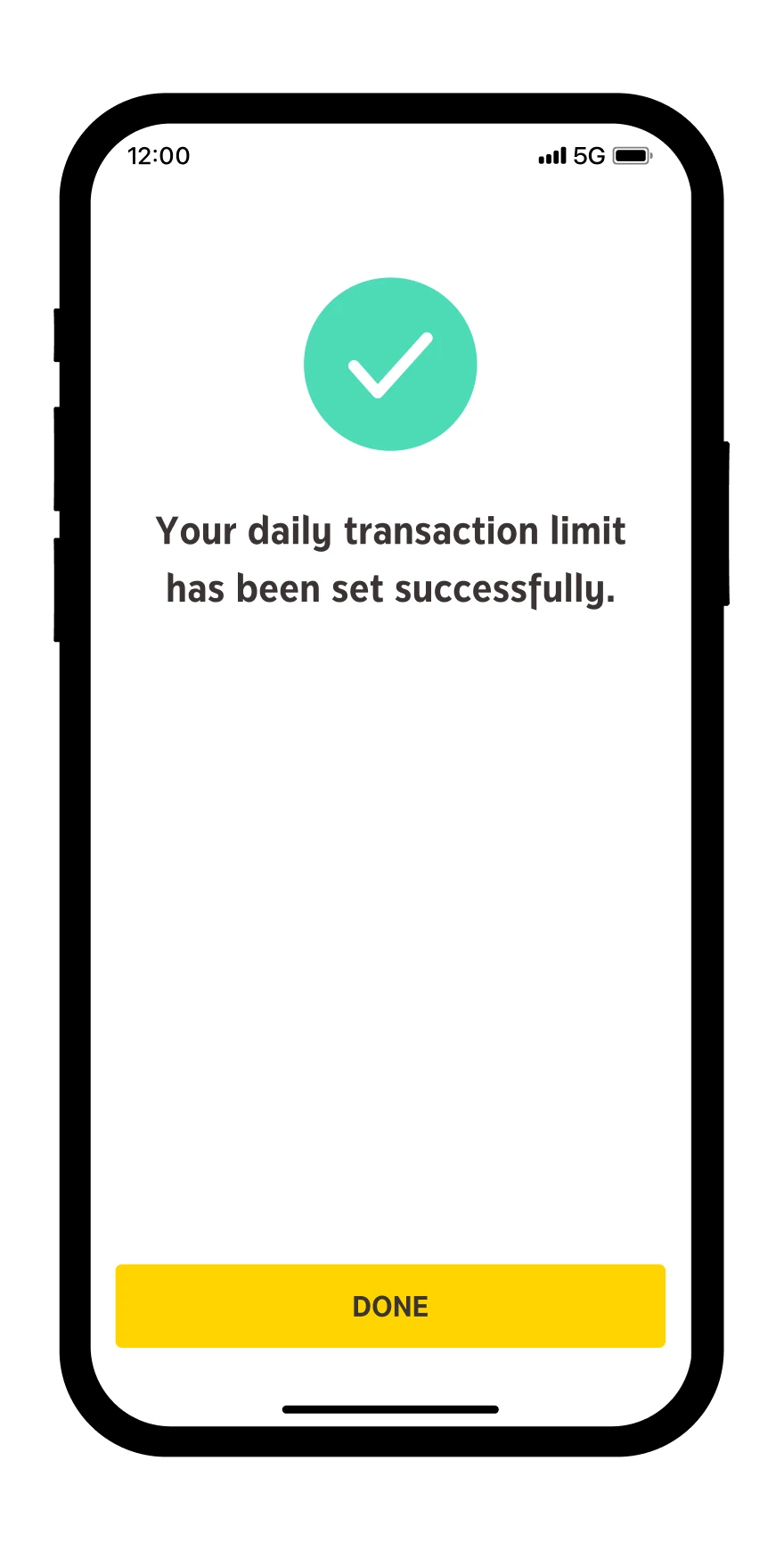
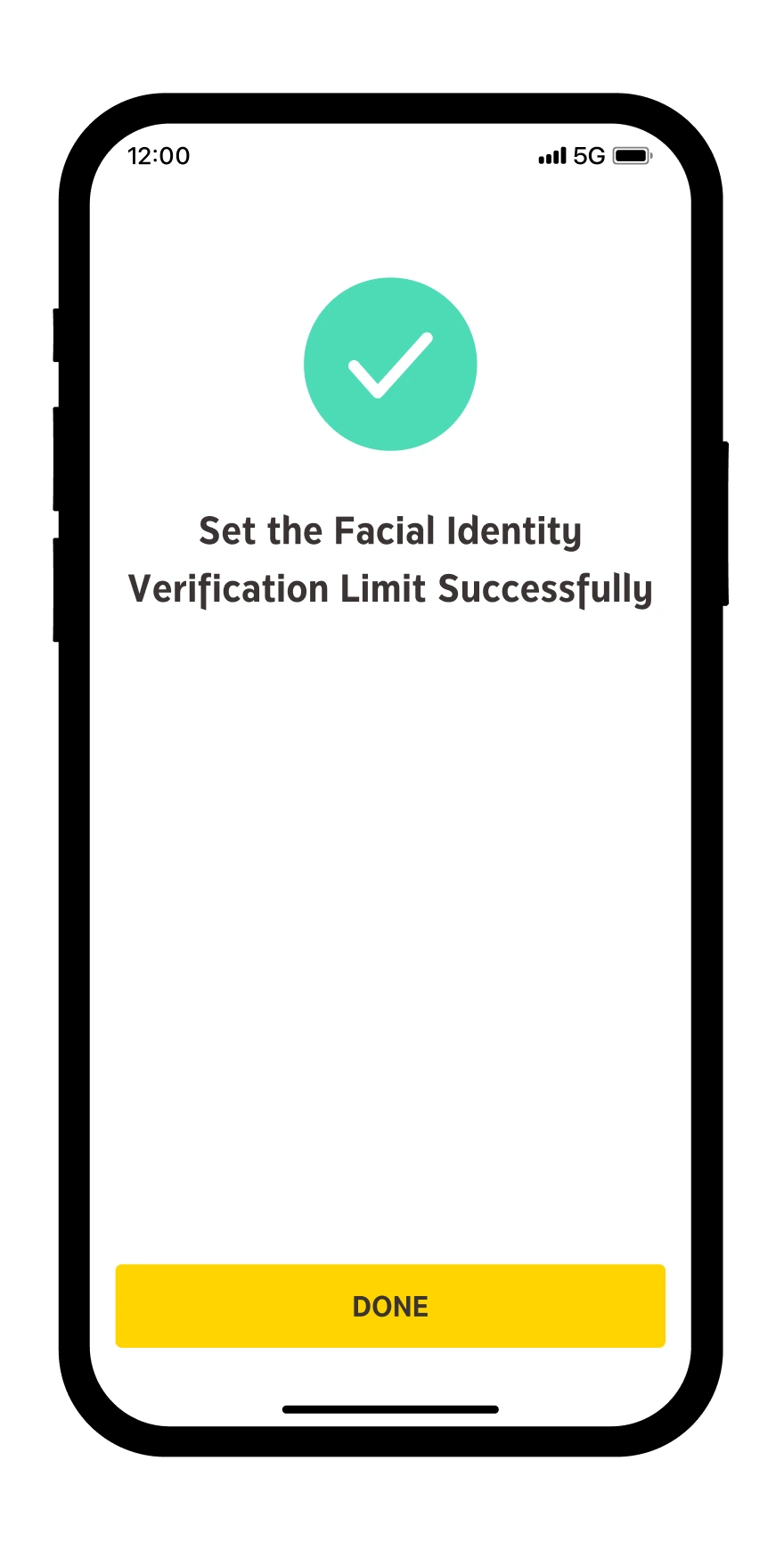
Change of limit is successful
* Facial identity verification limit can be set between 5,000 – 50,000 Baht per transaction. Transactions exceeding 50,000 Baht will require facial identity verification by default.
** Total value of transactions must not exceed the daily maximum limit determined by the Bank.
Download and register krungsri app
for both iOS and Android
For more information, please contact
LINE Official: @krungsrisimple