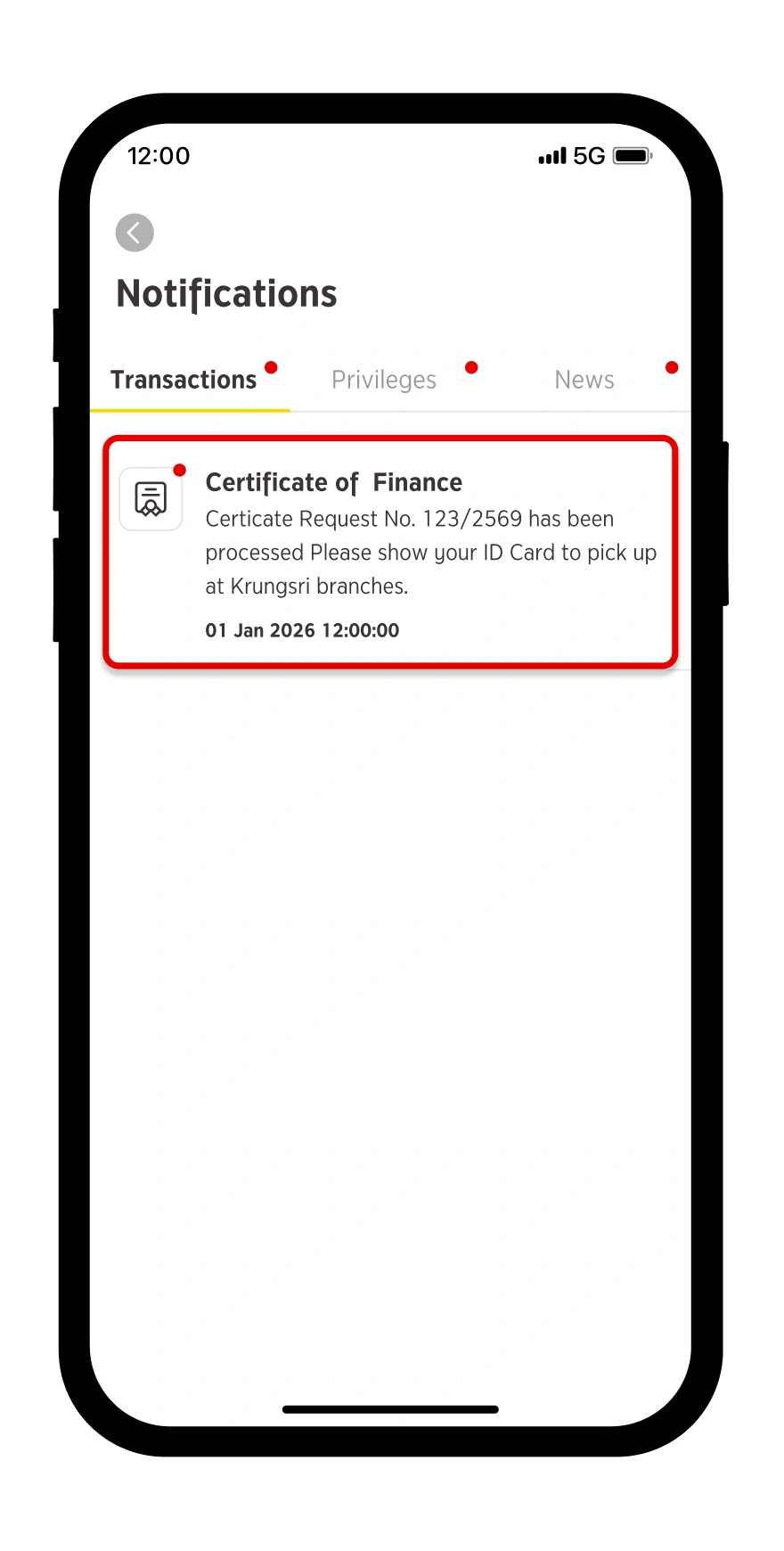
Request for Certificate of Finance is the service of issuing certification of deposit accounts for travel or study visas application. You can request a Certificate of Finance via krungsri app. After submitting the request, you will receive a push notification on krungsri app and you can contact any Krungsri branch to obtain the physical Certificate of Finance by presenting your ID card and the reference number appeared on your push notification message.
How to request a Certificate of Finance
Step 1
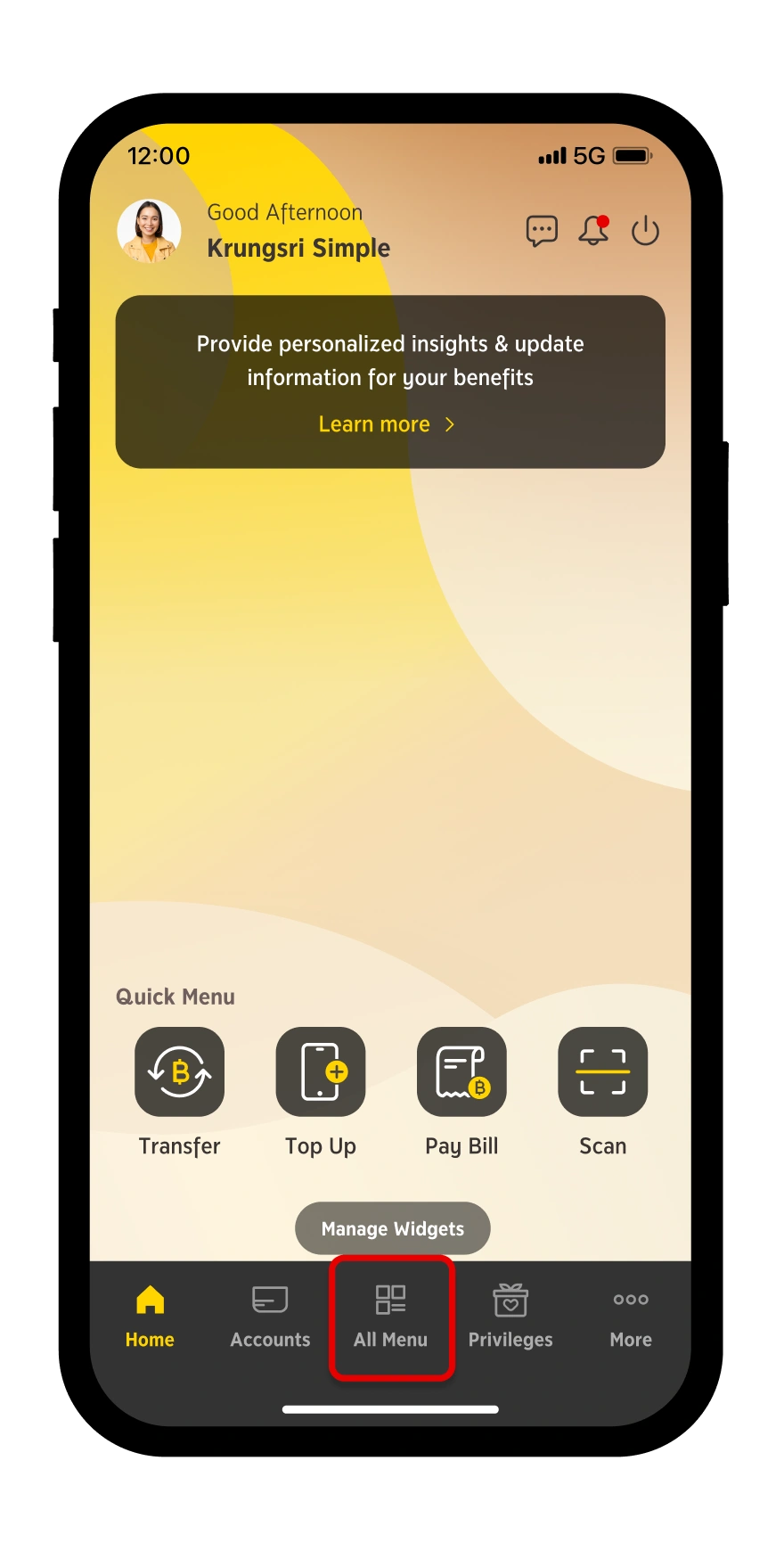
Go to “All Menu”
Step 2
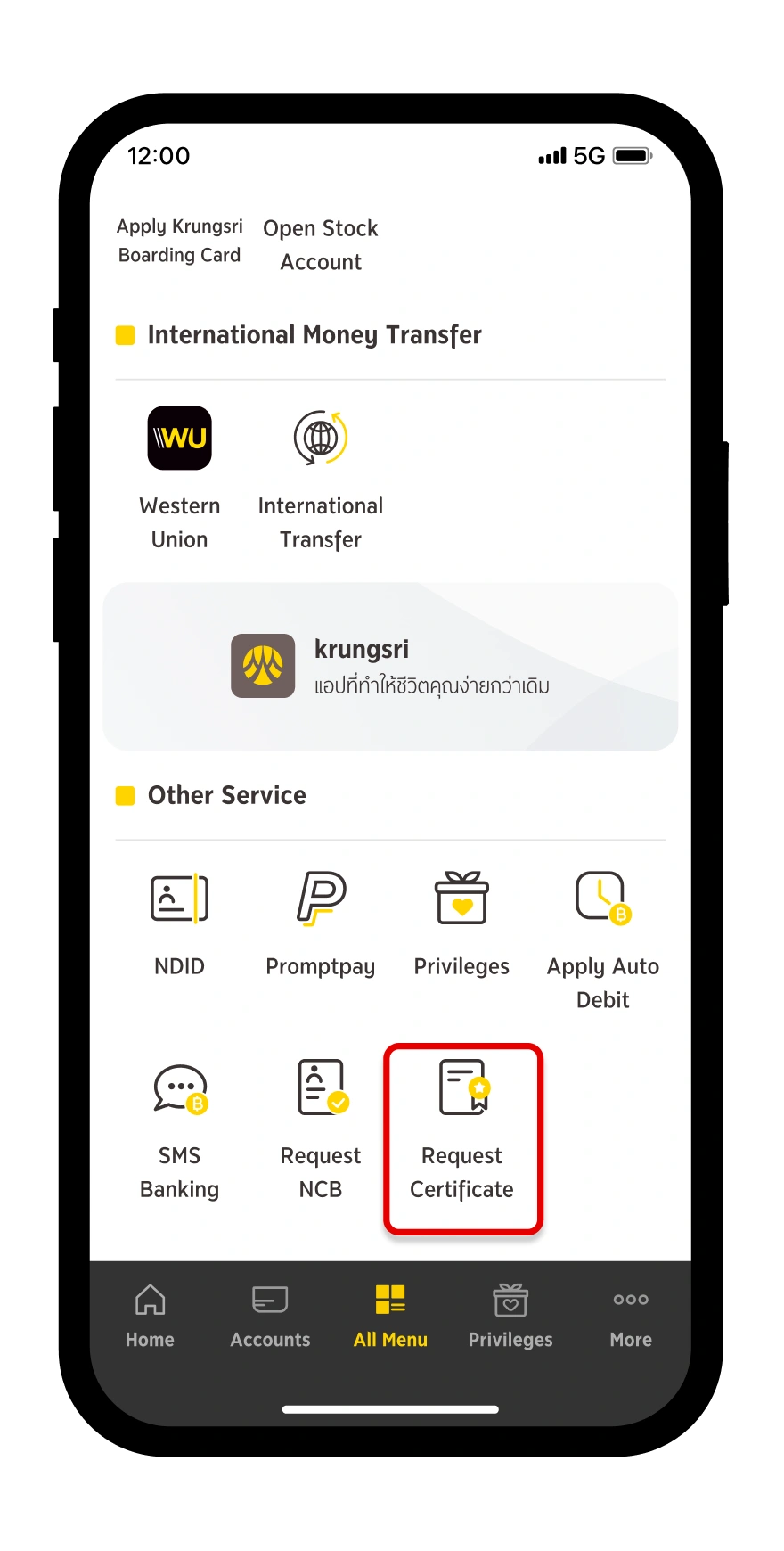
Select “Request Certificate”
Step 3
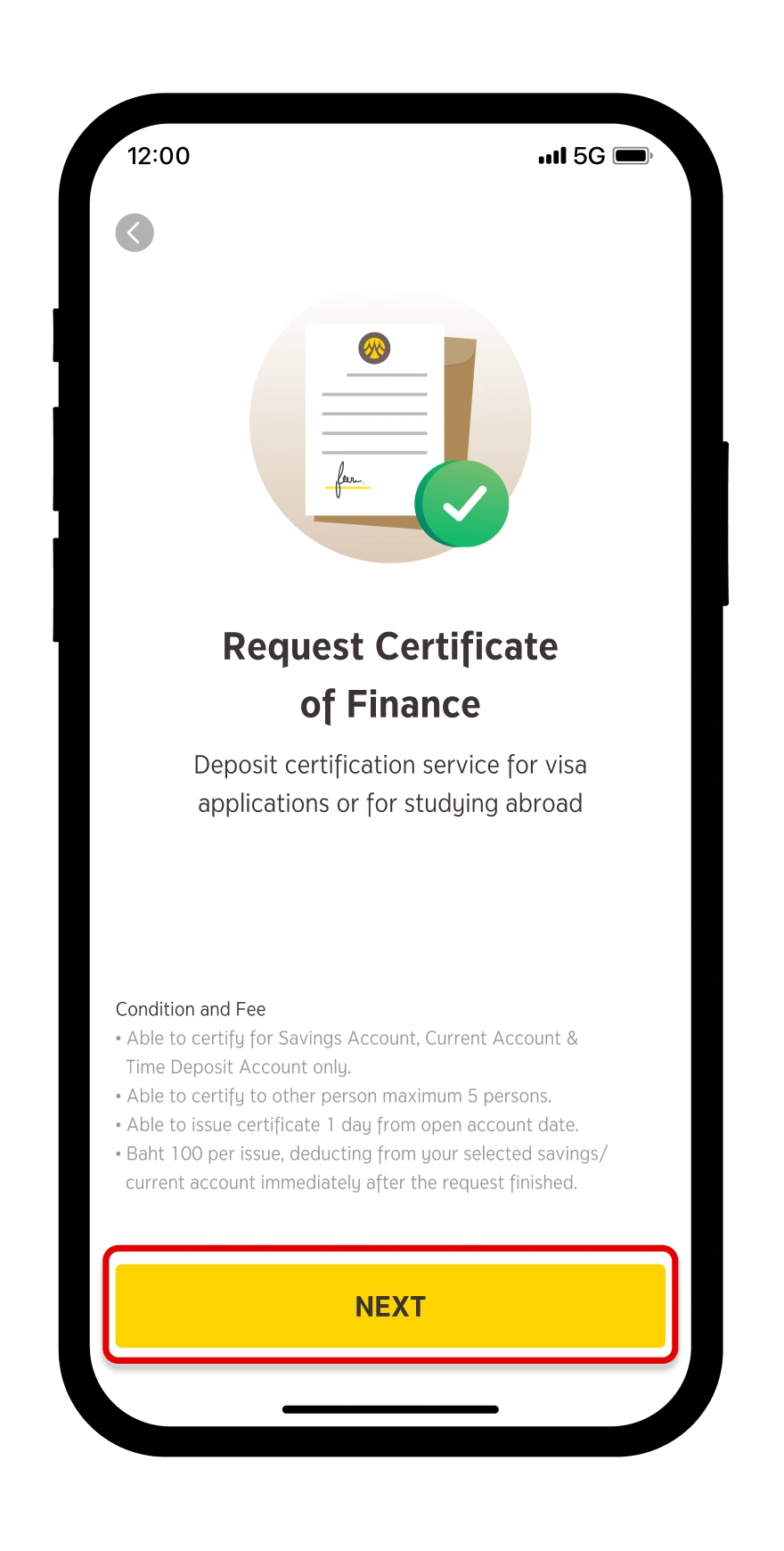
Study the terms and conditions and then press “NEXT”.
Step 4
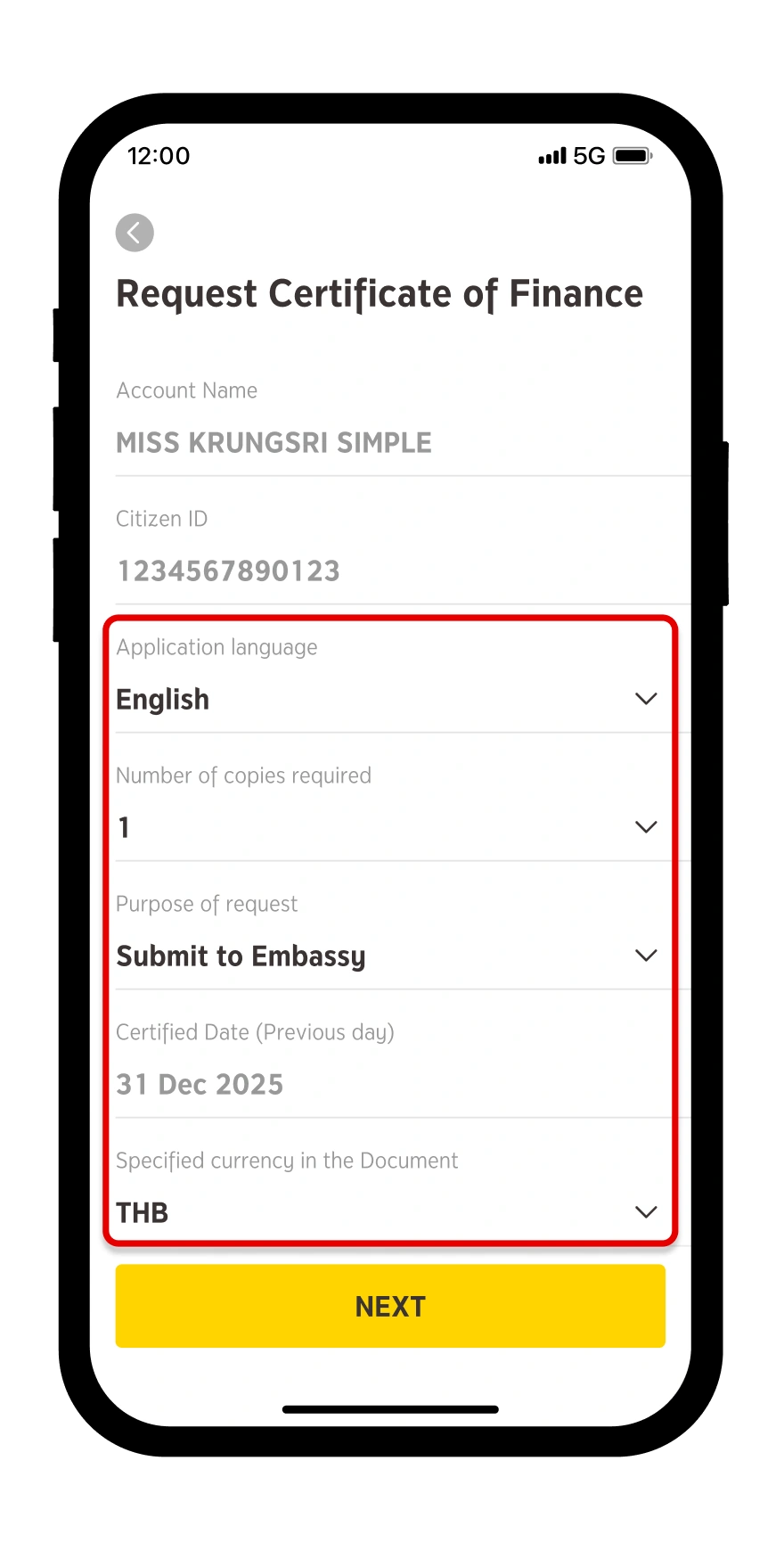
Specify the information for making the request.
Step 5
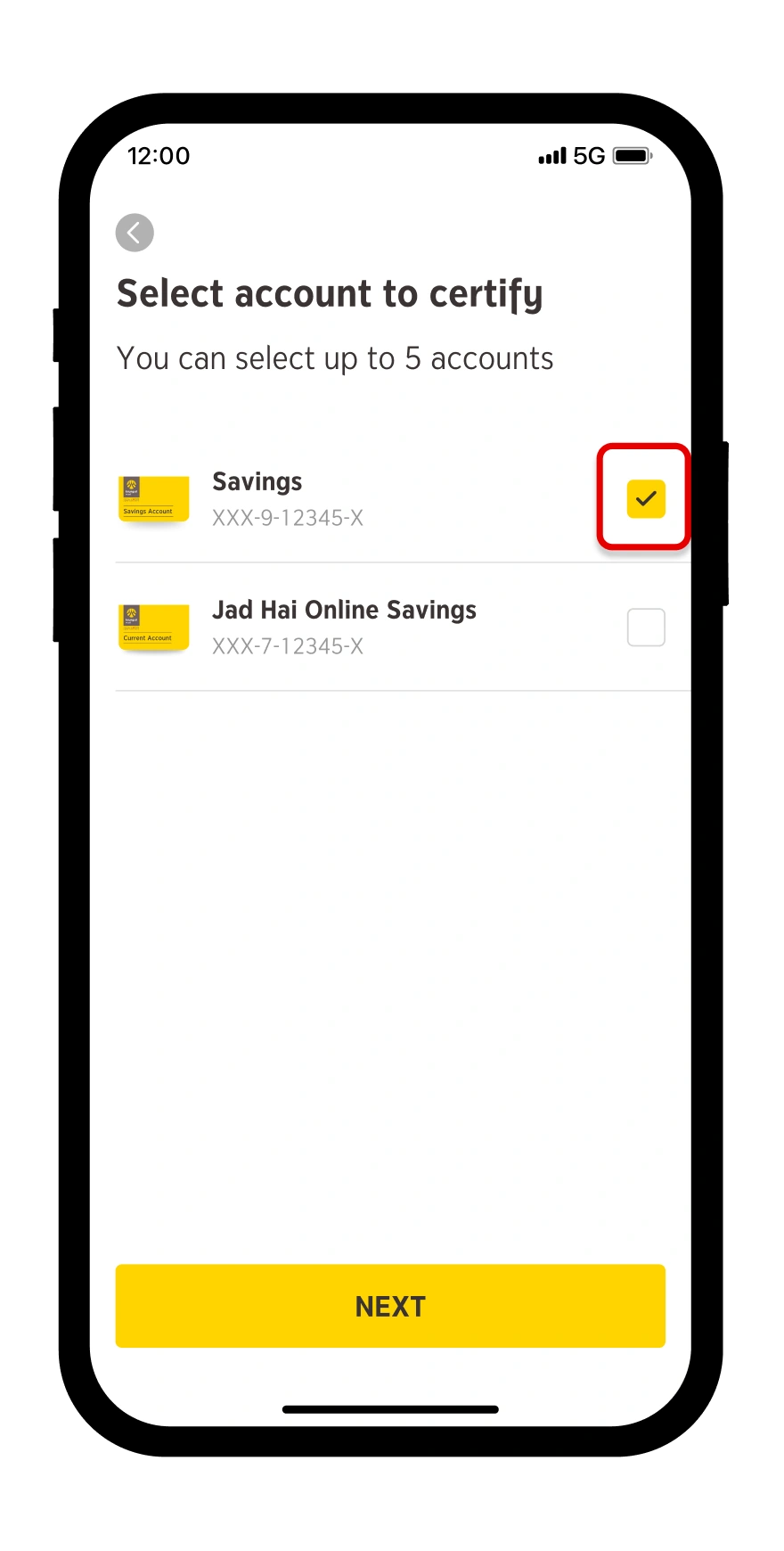
Select the account of which you want to request the certificate. You can select only the savings, current or fixed deposit accounts on krungsri app up to 5 accounts.
Step 6
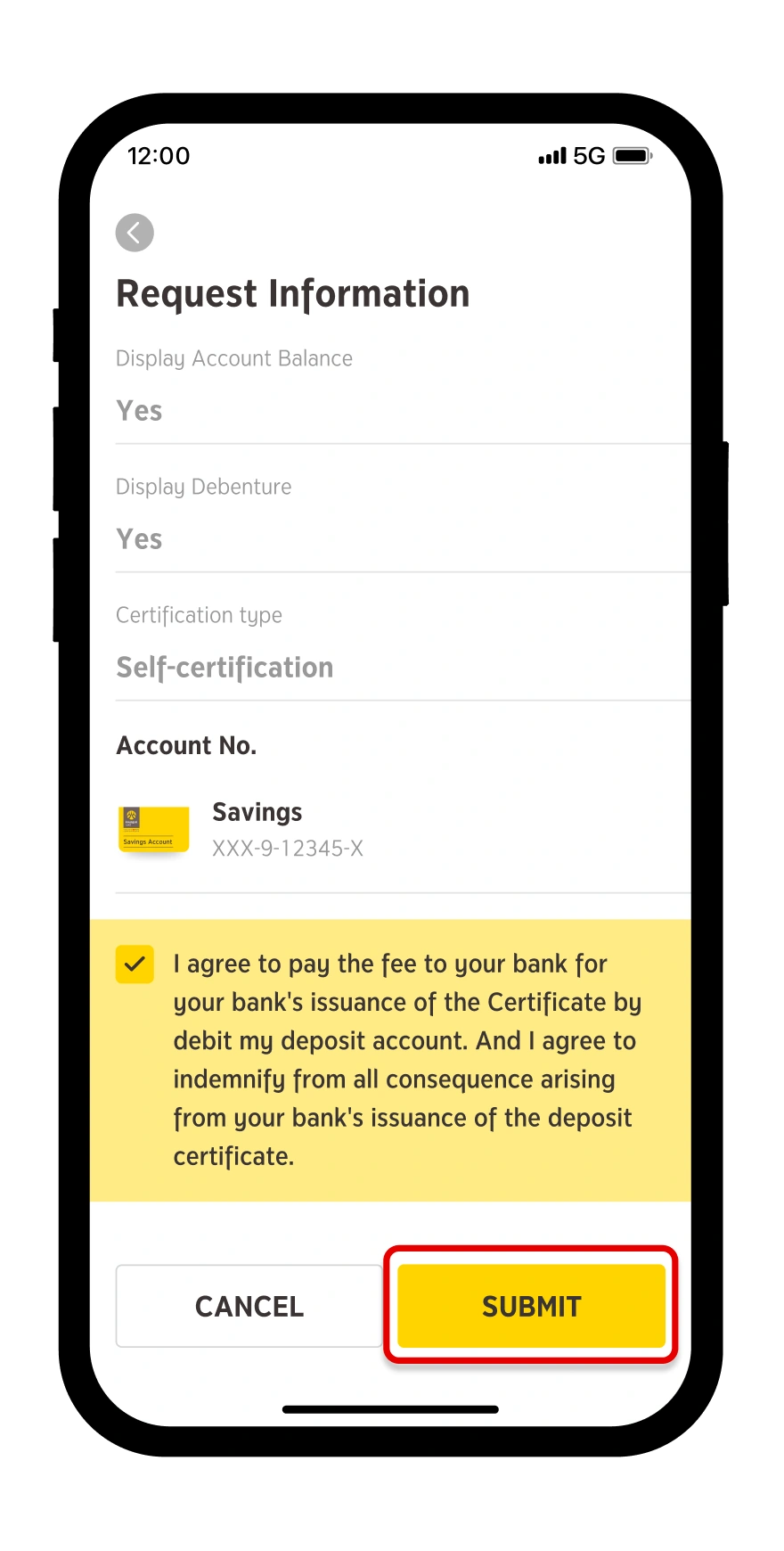
Review the information again and press “Submit Request”.
Step 7
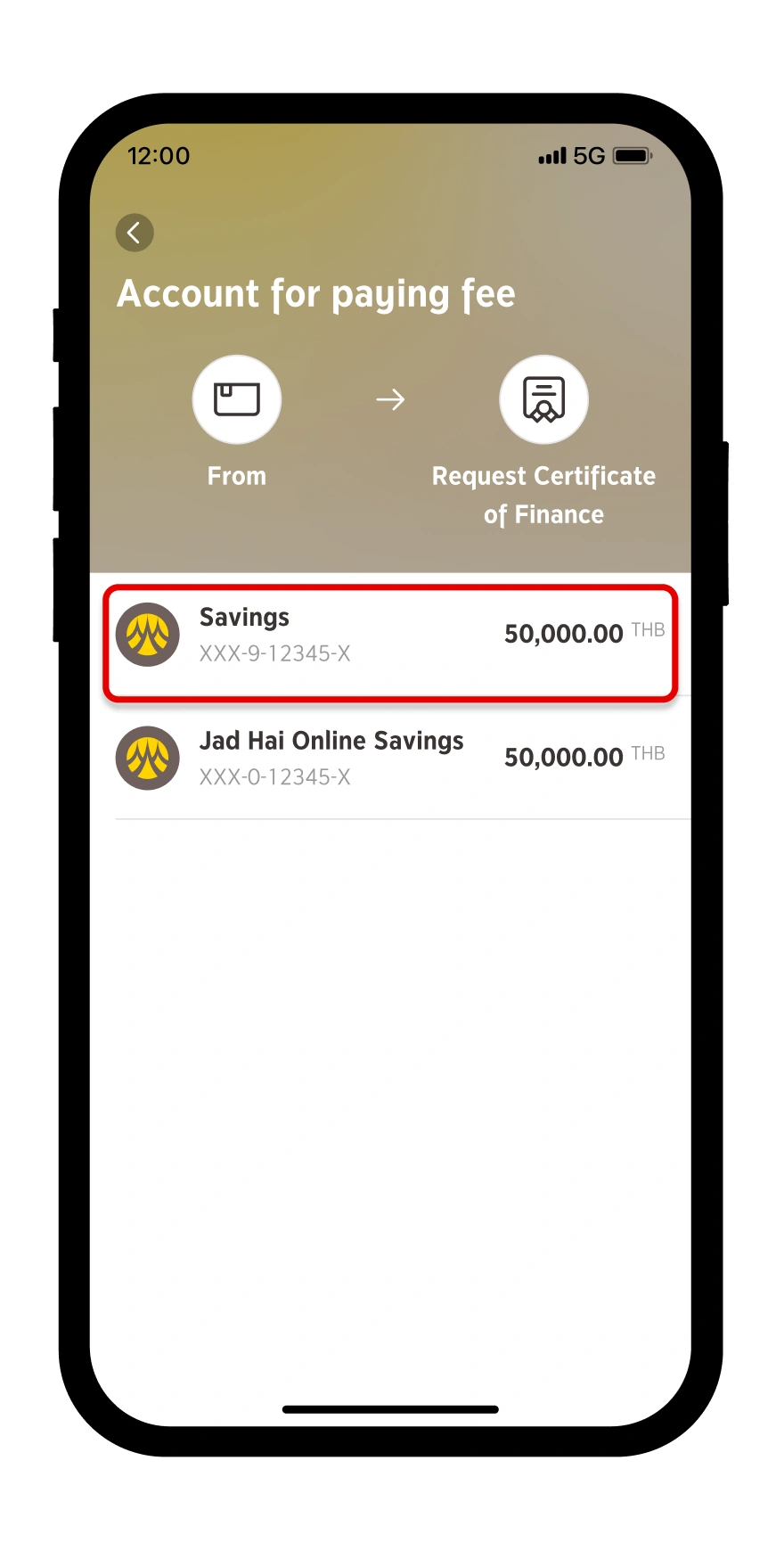
Select the account for deducting the issuance fee.
Step 8
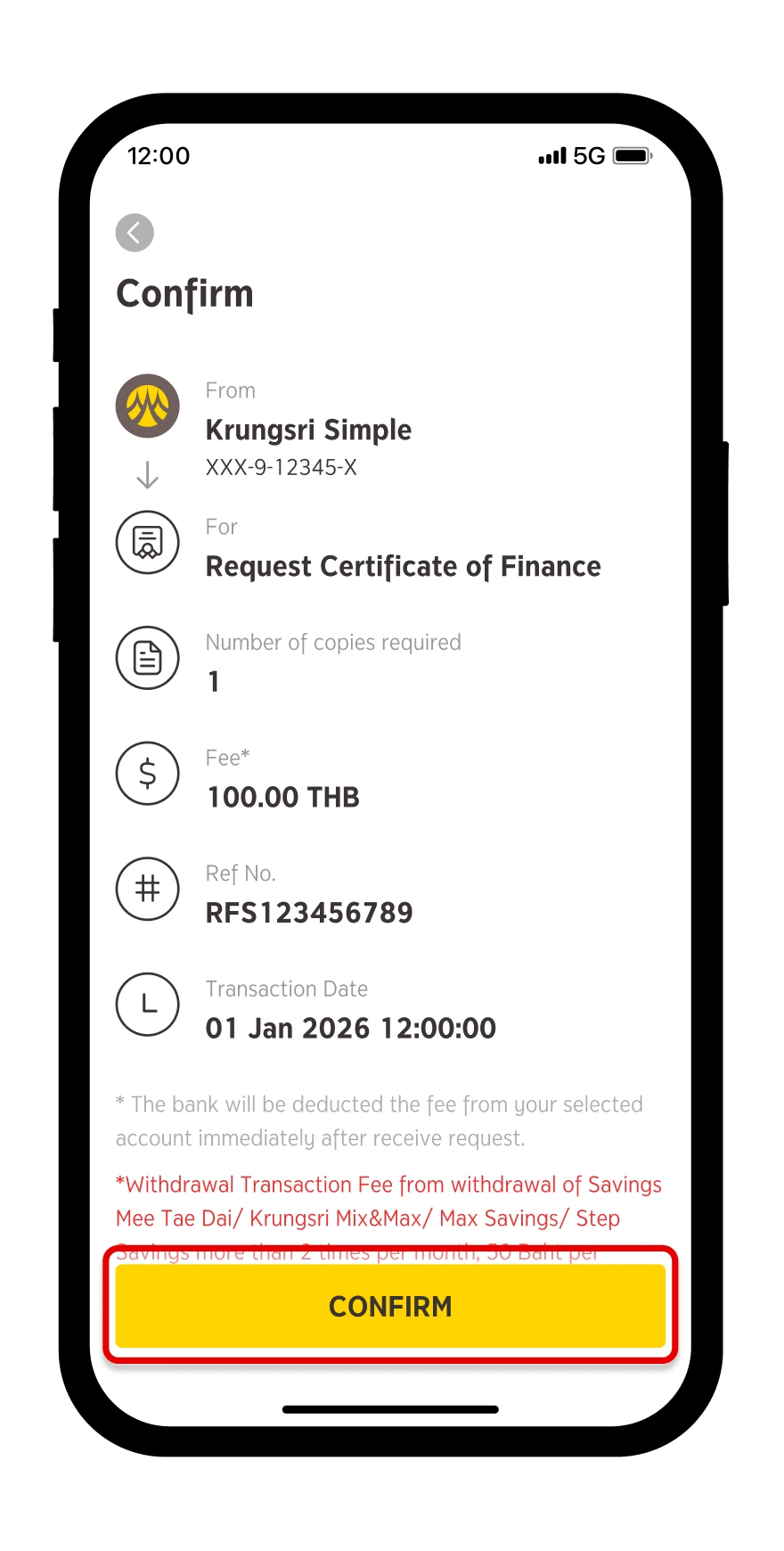
Check the number of documents and amount of fee and then press “COMFIRM”.
Step 9
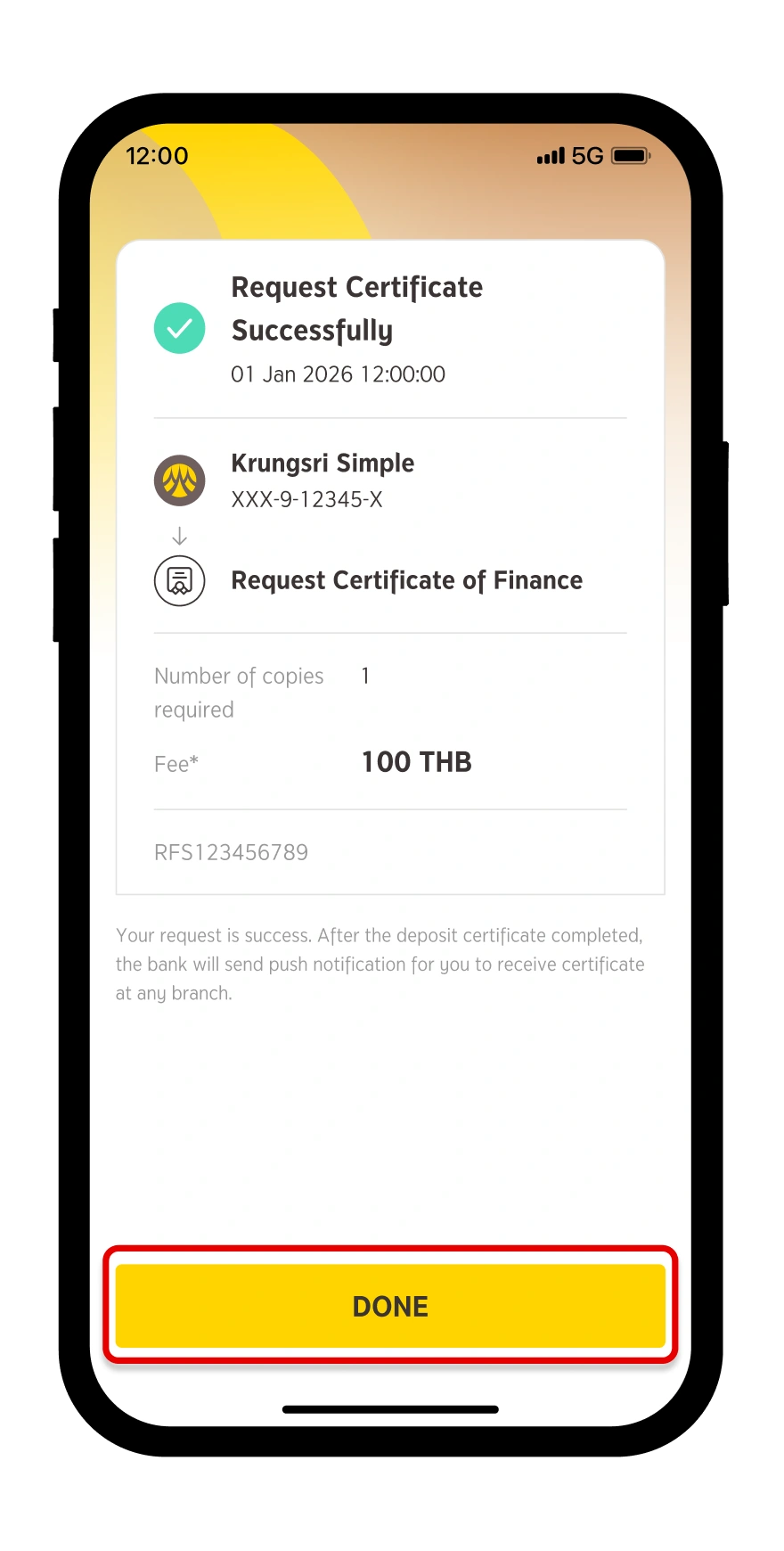
Certificate request submitted.
Step 10
You can contact any Krungsri branch to obtain the statements by presenting your Citizen ID Card and the reference number appeared on your push notification message.
Conditions of Services:
The request for statement of deposits is applicable only to savings, current and fixed deposit accounts.
The statement of deposits will cover up to 5 accounts for each request.
The statement of deposits will be issued to certify up to 5 persons including yourself for each request.
The statement will always certify the balance of account as of the past one day.
The issuance fee is 100 Baht per issue which will be deducted from the savings or current account specified by the customer immediately after the request is successful.
Download and register krungsri app
for both iOS and Android
For more information, please contact
LINE Official: @krungsrisimple